
Affiliate link tracking errors can be a real headache for anyone running a website or blog that relies on affiliate income. Missed or screwed-up tracking means lost commissions and a lot of confusion over what went wrong. I’ve put together some of the best tips, troubleshooting advice, and preventative approaches to help you keep your affiliate links working smoothly and your commissions flowing in like they should.
Why Affiliate Link Tracking Matters for Website Owners
If you’re very serious about generating affiliate income, having a solid grip on link tracking is really important. Affiliate tracking errors can be tough to spot and fix, but catching them early means you don’t miss out on earnings. Even a single broken or untracked link can add up to a sizable chunk of lost revenue over time.
Affiliate marketing is no small industry. According to Statista, affiliate marketing spending in the US alone topped $8 billion in 2022 and keeps growing. Source: Statista. With that much money at stake, it pays to keep your links in order and working as they should.
Common Causes of Affiliate Link Tracking Errors
Understanding the reasons behind your tracking errors is usually the best place to start. Broken links, browser issues, or even small mistakes in how a link is formatted can be the culprit. Here are some of the big ones I’ve learned that’s most commonly run into:
- Manual Link Errors: Sometimes copying and pasting a link goes wrong. One missing character can throw off tracking completely.
- Plugin or Script Interference: Some WordPress plugins or website scripts rewrite URLs, add redirects, or mess with cookies.
- Ad Blockers and Privacy Settings: Browser extensions or privacy-focused browsers often block affiliate tracking cookies.
- HTTPS/HTTP Issues: Linking to a nonsecure “http” page from a secure “https” site (or the other way around) can break the tracking flow.
- Expired or Changed Affiliate Programs: Programs sometimes change their tracking structures or shut down old links, making previously working links return a 404 error.
Recognizing these trouble areas makes it a lot easier to catch and fix problems before they eat into your earnings.
Practical Steps to Diagnose and Fix Tracking Problems
If you notice your commission numbers are lower than expected or you’re getting flagged by your affiliate manager about missing conversions, it’s time to run through a troubleshooting checklist. I recommend these hands-on steps first:
- Test Your Links Regularly: Click each affiliate link on your site and make sure it works. Watch the redirects and see if the destination URL contains your tracking information.
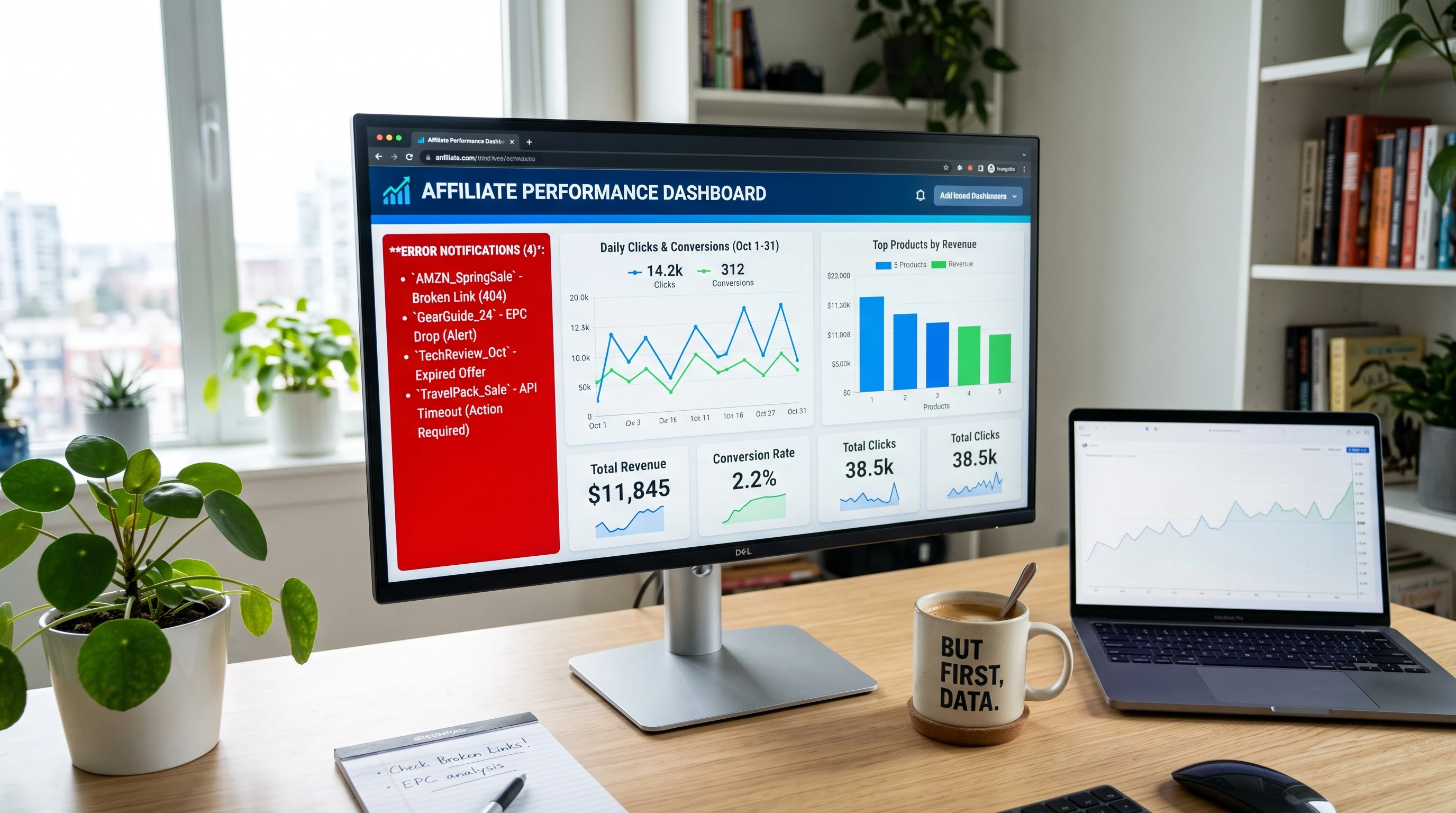
- Use Affiliate Dashboards and Reporting Tools: Most affiliate programs have dashboards showing recent clicks and conversions. If you see a drop in activity, compare that to your site analytics to spot discrepancies.
- Check for Redirect Chains: Too many redirects can break tracking. Use tools like HTTP Status Checker or Redirect Checker to see how many steps a user goes through before hitting the affiliate’s landing page.
- Test in Different Browsers: Try your links in Chrome, Firefox, Edge, and Safari, plus with ad blockers turned on and off. Some browsers or extensions kill tracking cookies.
- Contact Your Affiliate Manager: If you notice missing commissions, reach out to the affiliate program’s support or manager. Sometimes they know if there are tracking outages or issues on their end.
I strongly recommend to save a spreadsheet of your most important affiliate links and check them after any major site update. It’s a simple habit that helps me spot problems before they impact payouts.
How to Prevent Tracking Errors Before They Start
A few easy habits and tools can keep tracking errors to a minimum. Here are a few approaches I’ve found pretty handy:
- Use a Link Management Plugin: WordPress plugins like ThirstyAffiliates or Pretty Links make it easy to manage, cloak, and update your links from one dashboard. If the program changes a URL, you can update it everywhere on your site instantly.
- Keep Links Up to Date: Check for announcements from your affiliate partners about tracking changes or program closures. Old campaigns sometimes get retired without much warning.
- Enable HTTPS Everywhere: Make sure all your links point to secure “https” URLs, and that your website uses HTTPS as well. This prevents cross-protocol problems that break tracking.
- Test After Installing New Plugins: Any time you update your theme or add a new plugin, recheck your links for tracking issues. Some plugins (especially performance or security ones) mess with links in unexpected ways.
- Document Your Links Clearly: Keep a record of which affiliate links are used where. I keep organized spreadsheets, but plenty of folks use tools built into their link plugin dashboards.
Being proactive makes troubleshooting easier if something goes wrong down the line. You don’t have to be a tech genius, just consistent and a little thorough.
Handling Tracking Challenges: A Few More Things to Consider
- GeoRedirects: Some affiliate programs reroute users based on location. Make sure your partner supports international traffic or has fallback options for areas it doesn’t cover.
- ThirdParty Cookies: More browsers now block thirdparty cookies by default. Work with networks that provide firstparty cookie tracking or look for serverside tracking solutions.
- Mobile vs. Desktop Traffic: Sometimes tracking scripts work on desktops but fail on mobile. Always test links across devices to ensure you don’t miss out on traffic and commissions.
- Link Cloaking vs. Raw Links: Cloaking links is fine for aesthetics, but check if your program allows it. Some affiliate networks specifically ban cloaked links and will void commissions if you use them.
If you’re running multisite or relying on complex redirects, you might want to explore serverside affiliate tracking solutions for a more foolproof setup. It’ll require a bit of setup, but the improved reliability can be worth it for larger operations.
GeoRedirects and International Clicks
One of the questions I get a ton is about links not working for international users. Some programs autoredirect users to a countryspecific storefront, which can drop tracking. Signing up for tools like Geniuslink or using multiple affiliate IDs for different locations can really help here. Additionally, checking your analytics to understand where your visitors come from makes it easier to spot if certain regions are impacted more than others by tracking issues.
Mobile Tracking
It can surprise you how often mobile visits go untracked due to popup blockers, AMP pages, or different redirects. Testing from your phone as well as desktop is a quick and useful safeguard. Plus, many users today browse primarily from mobile devices, so ensuring your tracking works there is crucial to capturing all potential commissions.
RealWorld Examples of Affiliate Link Tracking Problems
Tracking issues aren’t just a theory; they’ve bitten plenty of affiliates (including me) in real life. Here are a couple case studies from my own sites and other site owners I’ve chatted with:
- Case 1: After a routine theme update, all Pretty Links stopped redirecting to Amazon Associates links. No sales got tracked for two days until I noticed and patched the plugin’s conflict with my cache settings.
- Case 2: A friend using a popular ad blocker realized several affiliate partners’ links were being auto-removed for about one-third of their visitors. Testing with browsers in incognito mode without extensions showed the lost clicks, proving the importance of regular testing across browser environments.
- Case 3: Expired product campaigns: A laptop review page had three out of five product links that no longer tracked because the affiliate updated their landing pages and retired the old ones. Quick replacement through a link management tool fixed the issue, but not before a week of lost commissions.
Sometimes these problems aren’t immediately obvious. For example, you might see a steady drop in conversions and only later connect it to a change on your site or an update from your affiliate partner. Regular checks and staying in touch with affiliate managers can help you catch these issues early.
Frequently Asked Questions
These are some questions I’ve heard from others who rely on affiliate income:
Question: What’s the easiest way to check if my affiliate link is tracking?
Answer: Use a private or incognito browser, click your link, and look for tracking info in the destination URL (like your affiliate ID or unique tag). Then check your affiliate dashboard for a new click or impression. If you see your click recorded, your tracking is working as expected. You can also ask your affiliate manager to confirm.
Question: How can I protect my links from ad blockers?
Answer: Using uncloaked links and firstparty tracking where possible helps. Some plugins, like ThirstyAffiliates, offer settings to bypass basic blockers, but nothing is foolproof. Test regularly to see what works on your site, and keep up with updates from your plugin developers and affiliate partners.
Question: Should I cloak my affiliate links?
Answer: Cloaking can tidy up ugly long URLs and make management easier, but double-check your affiliate program’s terms. Some (like Amazon) prefer raw links and could suspend your account for cloaking.
Question: What if I switch up my site’s domain or hosting?
Answer: If you change your domain or move hosts, double-check your affiliate links and tracking after the move. Occasionally links can break or tracking stops working due to new server settings, so it’s smart to run tests post-migration.
Final Thoughts on Keeping Your Affiliate Links Working
Staying on top of affiliate link tracking is super important for website owners who care about steady affiliate income. Small, regular habits like link testing, plugin updates, and clear documentation go a long way toward keeping things running smoothly. And when you hit a snag, a systematic approach to testing and troubleshooting makes getting back on track way less stressful.
If you’re managing more than just a couple of affiliate links, using plugins or dedicated tools can automate a lot of the busywork and give you peace of mind. Building these good habits and staying informed makes affiliate marketing a smoother and more rewarding adventure for everyone involved. Happy linking!