Most beginners respond to slow affiliate income by working more: another post each night, another social account, another early morning. That works for a short stretch. Then the hours run out, and the income still depends on how many of them you can find. To scale affiliate marketing income as one person with a job or a family, you need the same hours to produce more each week.
This article covers that in order: find where your time goes, put it behind what already earns, and turn repeated tasks into templates, batches and automations.
Why working more hours stops paying off once you have a few posts live
In the first weeks, every hour you spend creates something that did not exist: a post, a page, a first link. More hours produce more output, so working more makes sense.
Once you have a handful of posts live, the work changes. Income now depends on how those posts perform: whether people find them, whether they click your links, and whether they buy. New posts take time to be found, so an extra hour of writing tonight rarely changes this month’s income. An hour spent improving a post that already has readers can change it much sooner.
Long days also have a cost that does not show up on a clock. Tired writing is thinner, product recommendations get sloppier, and you skip the checks that keep links working. A person doing ten hours a week at a steady pace often outperforms the same person forcing fifteen.
So the question to ask is which hours are producing income and which are only keeping you busy. The rest of this article is about answering it.
Track where your week actually goes before you change anything
Most people guess at how they spend their affiliate hours, and the guess is usually flattering. Before you adopt any system, measure for one week.
Keep a plain note or spreadsheet open while you work. Each time you switch tasks, write down the task and roughly how long it took. Round to 15 minutes; precision does not matter here.

Sort each entry into one of four groups:
- Creating: researching, outlining, writing and editing new posts.
- Improving: updating existing posts, fixing links, adding sections, adjusting titles.
- Distributing: social posts, emails, commenting, anything meant to bring readers in.
- Admin: hunting for images, formatting, logging into dashboards, inserting links, answering messages, tool setup.
At the end of the week, look at the totals and ask three questions:
- Which group took the most time, and is that the group most likely to produce income?
- Which single task did I repeat the most often?
- Which tasks did I do out of habit rather than because they had a result?
Admin is usually the surprise. Small tasks such as finding the right affiliate link, resizing an image, or rebuilding the same post layout from scratch add up to a large share of a short week. These are the tasks templates and batching shrink, so the log tells you where to start.
If you can, also note which tasks you did while tired or distracted. Those are good candidates for batching or removal later.
Put your effort behind the pages that already earn
Your existing pages hold the best information you have about what works. Look at them before you write anything new.
Pull the numbers from two places: your affiliate program dashboards, which show clicks and commissions, and your site analytics, which show visits per page. If your programs let you tag links by page, you can match commissions to specific posts. If they do not, affiliate tracking software for beginners explains which kind of tracking you need before paying for anything.
Then sort your pages into four groups:

- Earning: visits, clicks and commissions. These get the first share of your time.
- Getting clicks but no sales: readers are interested, but something after the click fails. Check that the product fits the reader’s question, that the link goes where you think it does, and whether the post promised something the product does not deliver.
- Getting visits but few clicks: readers arrive and do not act. The fix is usually in how and where the links appear. The click psychology behind high-performing affiliate links covers wording and placement.
- Getting little or no traffic: leave these alone for now. Rewriting a page nobody visits is the most common way to burn a week.
For the earning pages, the work is specific and small. Re-read each one for outdated details. Make sure every link still works and that the recommendation still matches the product’s current features. Add a short section that answers a question a reader would plausibly ask next. Make the call to the link clearer near the top of the page.
Two hours spent on a page that already converts will usually do more than two hours on a new post that has no readers yet. When you do write something new, build it around the topics your earning pages cover, since you already have evidence people want them.
Turn the work you repeat into templates and checklists
Your time log shows what you repeat. A template removes the starting-from-nothing part of those tasks, and a checklist removes the remembering part.
Start with the tasks that appeared most often in your log. For a beginner running a content site, the usual candidates are these.
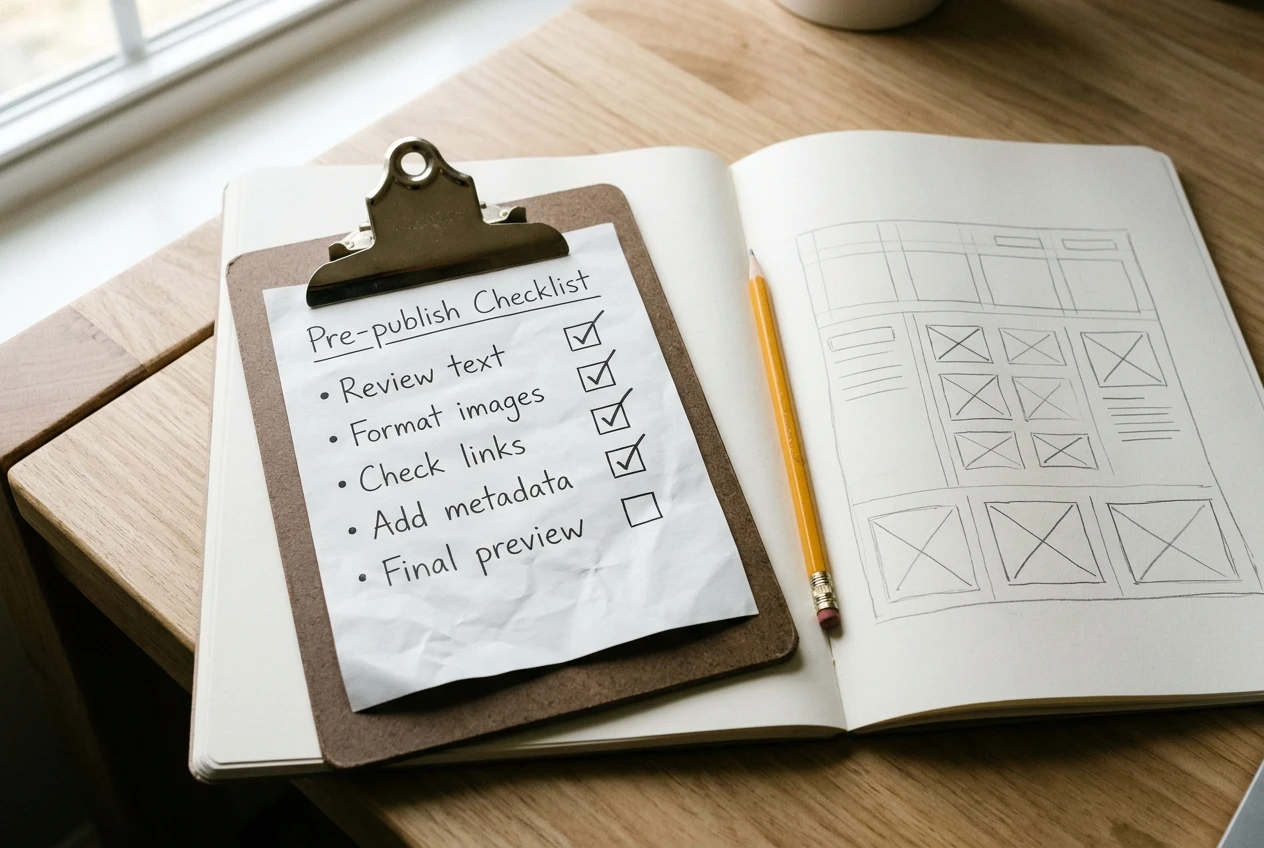
A post template. Write down the structure your best post follows: how the opening handles the reader’s problem, where the comparison goes, how you describe who each product suits and who it does not, where the links sit, and how the post ends. Save it as a blank draft you copy each time. You still write every sentence, but you no longer decide the layout.
A product section template. If you review or compare products, use the same set of questions for each one: what it does, who it is for, what it costs, what the drawbacks are. Taking those details from the product’s own page keeps you accurate, and the fixed questions keep posts consistent and faster to write.
A pre-publish checklist. List everything that must be true before a post goes live: affiliate disclosure present, links open the right page, title and description written, images have descriptive names and alt text, post is linked to from at least one related page. Run it every time. Missed disclosures and broken links cost more than the five minutes the checklist takes.
An update checklist. For existing posts, list what to review: prices and features, link status, screenshots, whether a better product has appeared, whether the opening still answers the question.
Saved snippets. Keep your disclosure wording, standard closing lines, and email signature somewhere you can paste from. Retyping them is small, but it happens constantly.
Build these as you go instead of in one sitting. Each time you notice yourself doing something for the third time, write it down as a template or checklist item.
Batch the tasks that need you and automate the ones that don’t
Switching between kinds of work is slow. Writing, then editing images, then logging into a dashboard, then writing again means you restart your focus each time. Batching means doing one kind of task for a block of time and moving on.

What to batch
Pick tasks where your judgment is needed, and group them by type:
- Research and outlining: one session to outline several posts, using your template.
- Writing: a block with notifications off and nothing else open.
- Images and formatting: one pass over several posts instead of one image at a time.
- Link insertion and checking: one session to add affiliate links and test them across posts.
- Reviewing numbers: one fixed time each week to look at your dashboards. Checking them daily adds nothing, because the figures change too little to act on.
For someone with limited hours, this might mean two longer sessions per week with a different job assigned to each, rather than a little of everything every night.
What to automate
Automate tasks that follow the same steps every time and need no judgment:
- Scheduled publishing. Finish several posts in one session and schedule them to go out across the following weeks.
- Welcome emails. A new subscriber should get the same useful sequence without you sending anything by hand. The article on email marketing services that let you use affiliate links and automate covers which services allow this.
- Link management. Tools that insert, organize and check affiliate links across posts replace manual find-and-replace work. The WordPress plugins article sorts them by the job each does.
- Reminders. A recurring calendar entry for your update checklist, or for a monthly link check, replaces trying to remember.
Keep two things manual: deciding what to recommend, and writing the recommendation. Readers trust a recommendation because a person weighed it, and automating that part removes the reason to read your site.
Add automations one at a time. Each one needs a short test period to confirm it works, and two new ones at once make problems hard to trace.
Decide what to stop doing, and what to say no to
Adding systems only frees time if you also remove tasks. Go back to your time log and mark anything that took hours without a visible result.
Common candidates for stopping:
- Social platforms that send no visitors. Check your analytics for referral traffic. If a platform you post on daily sends almost nobody, cut it to occasional use or drop it.
- Design polishing. Fonts, colors and layout tweaks rarely change income for a small site. Fix what hurts readability and leave the rest.
- Constant dashboard checking. Move it to the weekly session.
- Rewriting pages with no traffic. Wait until you know why nobody visits them.
- Reading new tutorials while your own site sits idle. Learning has value, but each hour reading should end with something you apply that week.
Saying no matters just as much. Every new affiliate program adds links to maintain, terms to read, and a dashboard to check. Before adding one, ask whether it fits the audience you already have and whether you can keep its links current. If you are still deciding on a program, how to choose your first affiliate program gives a way to compare options. Say no to collaborations, new platforms and side projects that pull from the same limited hours until your current systems run without much attention.
Write your stop list down, and put it where you will see it when a new idea arrives.
A four-week plan for adding one system at a time
Four weeks is enough to put the whole approach in place without doubling your workload. Each week adds one thing, and each one should take only a share of your normal hours, not extra ones.
Week 1: Measure
Keep your time log all week, using the four groups above. At the end, pull clicks, commissions and page visits from your dashboards and analytics, and sort your pages into the four groups. Write down your most-repeated task and your biggest time sink. Make no other changes.
Week 2: Work on what earns
Choose your top two or three earning pages. Run through each: check the links, update outdated details, add a section answering a likely next question, and make the link call clearer. If a page gets visits but few clicks, adjust link wording and placement. Do not publish new content this week unless you were already mid-draft.
Week 3: Build templates and a checklist
Write your post template from your best-performing page. Write your pre-publish checklist and your update checklist. Save your disclosure and standard snippets. Use the new template for your next draft and note anything it is missing, then revise it.
Week 4: Batch and automate one task
Move your work into fixed sessions: outlining and writing in one block, formatting and link insertion in another, dashboard review at one set time. Then pick one task from your log and automate it. For many people the best first choice is scheduled publishing or a welcome email sequence, since both save time every week afterward.
After week four, repeat the cycle on a slower schedule. Re-run the time log for a few days, check what changed, and pick the next repeated task to turn into a template or automation. Each pass should leave you with less admin, and the hours you free go to improving earning pages or writing new posts.