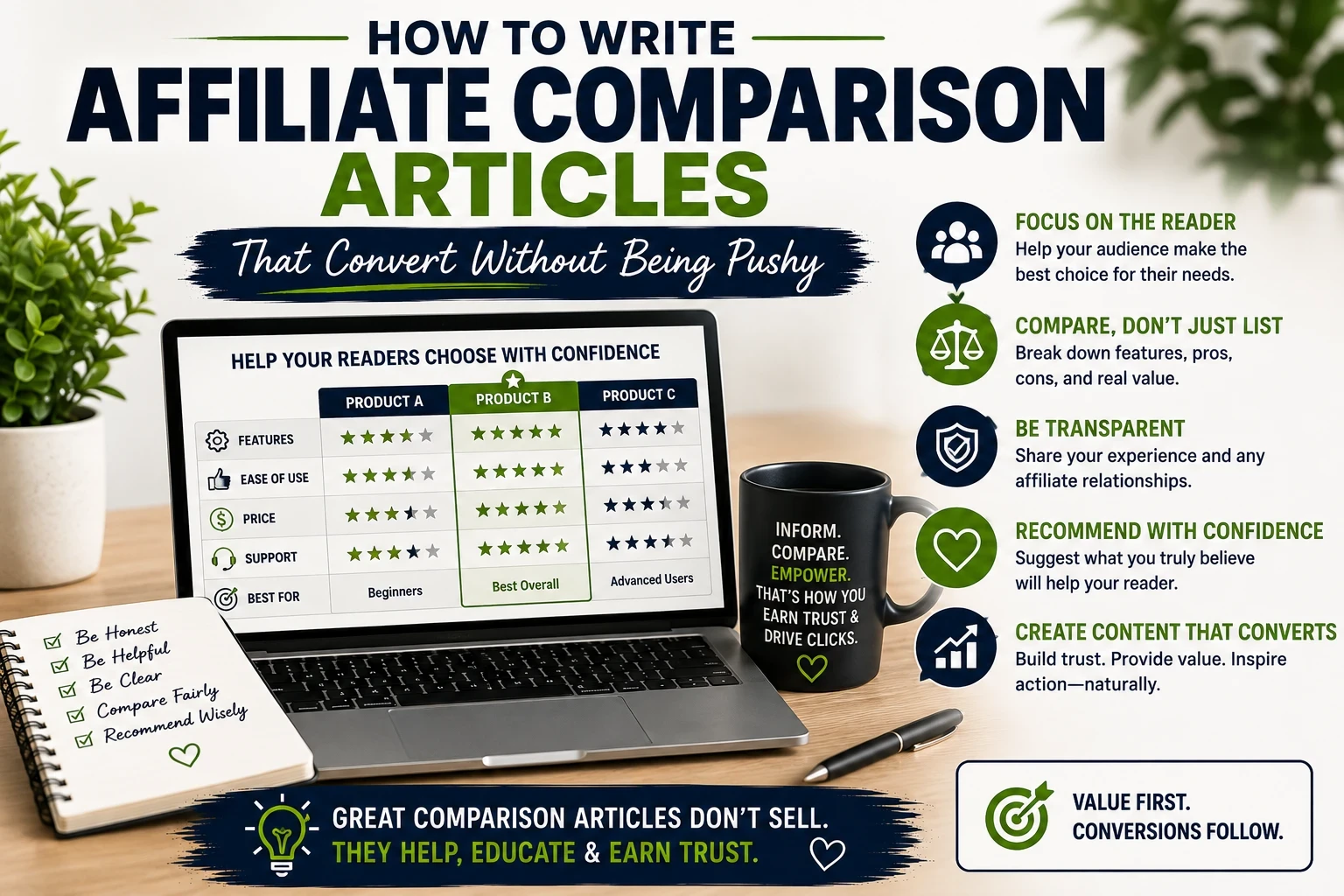
If you’ve ever searched for “Product X vs. Product Y,” you’ve probably noticed how easy it is to spot when someone is just trying to get a quick commission. The best affiliate comparison articles don’t feel like sales pitches. Instead, they help people honestly figure out which solution fits their needs. If you write with that mindset, balancing clarity, detail, and trust, you’ll find your clicks and conversions go up without making people cringe.
https://www.wealthyaffiliate.com?a_aid=18e69c44
What Makes a Strong Affiliate Comparison Article?
An affiliate comparison article is where I show two or more products or services side by side, breaking down their features, pros, and cons in real terms. It’s not just about whether Product A “beats” Product B. It’s about helping someone decide which choice lines up best with what they’re actually looking for.
This often looks like “Product X vs. Product Y” posts or “Best [Tool] For [Specific Use].” These pieces are great for people who already know a bit about the options and need that last nudge to make a choice. It’s really about offering insight, not hard selling. By focusing on the specific needs of your audience, these articles provide the kind of information that moves readers closer to a decision.
- Comparisons: Like “iPhone vs. Android” or “ConvertKit vs. Mailchimp.”
- Feature breakdowns: Laying out the main capabilities that people actually care about.
- Situational guidance: For instance, “Best laptop for travel bloggers.”
Why Affiliate Comparison Articles Can Convert (Without Hype)
People searching for comparisons are usually pretty close to buying; they just want help deciding. Someone Googling “Best treadmill for apartments” is probably more ready to click “buy” than someone just searching “home exercise tips.”
But here’s the thing: being fair, detailed, and authentic works better than sounding eager for a sale. When I approach these articles as a helpful guide instead of a billboard, the trust I build with readers translates into more affiliate clicks and, eventually, sales. Plus, search engines like Google now tend to reward clear, experience-driven content that answers the actual questions people are asking.
Start by Knowing Your Reader (And Their Real Needs)
It’s tempting to get into feature lists right away, but I always start by figuring out why someone would compare these products in the first place. Are they new to the field? Are they budget conscious? Maybe they care more about simplicity than having every bell and whistle.
Some examples of user-focused questions I keep in mind:
- Is one option easier to use?
- Does one fit a tighter budget?
- Is one more suited for beginners or experts?
- What special features matter most for their use case?
- Do they need long-term support or upgrades?
When I understand the user’s real goals and pain points, the comparison feels more tailored and helpful. This approach leads to higher engagement because readers immediately recognize that their specific concerns are being addressed. Additionally, considering scenarios such as remote workers, families, or students can help you frame your recommendations more effectively.
Present Both Options Upfront, Fairly and Honestly
First impressions really matter. I start with quick introductions to both (or all) products. This makes things feel balanced and gives readers the basic lay of the land before I get granular. For each option, I cover:
- What it is (and isn’t)
- Who it’s built for
- Top features
- Areas where it shines the most
The idea is to avoid hinting that one option is the better pick before I’ve shown the reasoning. Readers can spot bias quickly, and a fair start helps set the right tone for the whole article. Sharing a snapshot or two about when and why each product might come in handy also helps provide this honest overview.
Focus on Features and Benefits That Actually Matter
Not every single difference is worth mentioning. I highlight the points that truly impact the buying decision. Based on my own experience, these common categories usually matter most for readers comparing products:
- Ease of Use: How steep is the learning curve? Is the setup straightforward?
- Feature Depth: Are the most valuable tools included? Any missing must haves?
- Pricing: How do plans or fees break down? Is there a free trial or hidden costs?
- Support and Training: What help is available? Are there tutorials, chat, or community forums?
- Flexibility or Scalability: Can users upgrade or add features as their needs change?
- Long-Term Value: Is the product dependable and cost effective over time?
Sometimes, I add hands-on details like screenshots or genuine use case stories, which make things more relatable and transparent. Including real-life examples, such as “When I first tried Tool A, the setup wizard walked me through every step,” can make the benefits and drawbacks clearer to readers.
Build a Simple Comparison Table for Quick Glance Readers
A good comparison table makes it super easy to see major differences at a glance. Here’s a quick sample:Feature Tool A Tool B Beginner Friendly Yes, No,Free Trial 14 Days,30 Days Support, Options,Live Chat,Email Only.Monthly Cost$12, $9 Best For Bloggers, Small Businesses.
This helps busy readers (like me, sometimes!) see the most important stuff right away. After the table, I dig into the differences with more nuance and detail, using real examples rather than just restating what’s already in the table. For added clarity, you might bring in summary boxes or “At a Glance” highlights depending on your blog’s format.
Be Real: List Pros and Cons For Each (No Glossing Over Weaknesses)
Every product has its ups and downs. Ignoring the negatives makes the whole article less believable. I make separate bulleted lists for pros and cons for each option so the piece feels fair and honest.
Example:
Tool A Pros
- Super clear, easy setup
- Lots of tutorials
- Flexible pricing with trial
Tool A Cons
- Higher price if you upgrade
- Some features need third party plugins
I do the same for Tool B, making sure to use my own observations or referenced experiences from other users if I can’t test myself. Including a few user ratings or testimonials—when available—can also bring extra objectivity to this section.
Make Real Recommendations Based On Reader Scenarios
I wrap things up by matching the right tool to the right type of person or need. Instead of calling one option “the winner,” I say something like, “If you want something beginner friendly and don’t mind paying a little more, Tool A fits you. If you’re a small business owner looking for a lower monthly cost, Tool B handles the basics just fine.”
This gives people the confidence to choose for themselves, not just click whatever button I want them to. And when someone does click, it’s because I’ve actually helped, not because I pushed them hard. Offering short use case stories like, “A student on a tight budget might get more use from Tool B,” can also help readers relate to the options.
Troubleshooting Common Pitfalls (And How To Avoid Sounding Pushy)
- Watch Out For Bias: Don’t only talk up the one with the highest commission. Balance is key.
- Avoid Hype: Too much enthusiasm about every feature sounds fake. Stay realistic and specific.
- Use Evidence: Screenshots, demos, or links to user reviews add real credibility.
- Stay Transparent: If you haven’t personally tried something, say so. Readers appreciate honesty.
- Choose Language Carefully: Saying, “I think you’ll appreciate…” or “Worth checking out if…” is more approachable than, “You should buy now!”
FAQ: Writing Affiliate Comparisons With Confidence
Q: How do I keep my comparisons feeling fresh and not like everyone else’s?
A: Try working in personal anecdotes, noting where you struggled or where a feature really saved you time. Adding original screenshots, side by side demos, or quoting user feedback makes things unique and helpful.
Q: Is it okay to recommend something I haven’t tried?
A: I prefer sticking to things I’ve tested, but when that’s not possible, I back up statements with solid third party reviews and make it clear when feedback is secondhand.
Q: What are some ways to naturally include affiliate links?
A: Instead of a big “BUY NOW” banner, work in contextual links like, “You can see live demos on their website,” or “Get a free trial here,” inside relevant sentences.
Advanced Tips For Affiliate Comparison Success
Structure Articles For Scannability: Use headings, bullet lists, and tables. People want to skip around for quick answers. Consider adding summary sections or key takeaways boxes at the end of major segments.
Test, Update, and Refine: As products change, come back and tweak your content. Outdated comparisons drive down trust fast. Setting reminders to review popular posts every couple of months helps ensure accuracy and build long-term authority with your audience.
Address Objections: If there are complaints online (for instance, customer support isn’t quick), mention it and explain any workarounds that might help. This shows readers that you understand the typical weaknesses and aren’t just trying to gloss over them.
Include Value Added Extras: Try a quick printable checklist or downloadable demo template if it fits. Readers love a little something extra, and it keeps them coming back. Offering bonus insights—like “Top 5 Questions to Ask Before You Buy”—can cement your article as a go to resource.
Final Thoughts
Helpful affiliate comparison articles aren’t about pressure. They’re about transparency, authenticity, and making it easier for readers to make the best decision for themselves. I focus on practical details, clear language, and real world experience. That’s what builds trust, drives more clicks, and helps readers actually track down what they want.
Writing with care and honesty isn’t just good for conversions; it’s good for your brand, too. Next time you’re working on a comparison piece, think of yourself as a helpful friend rather than a salesperson, and watch how much more responsive your readers become. Remember, the best content doesn’t just guide—it builds lasting relationships and encourages long-term loyalty from your audience.